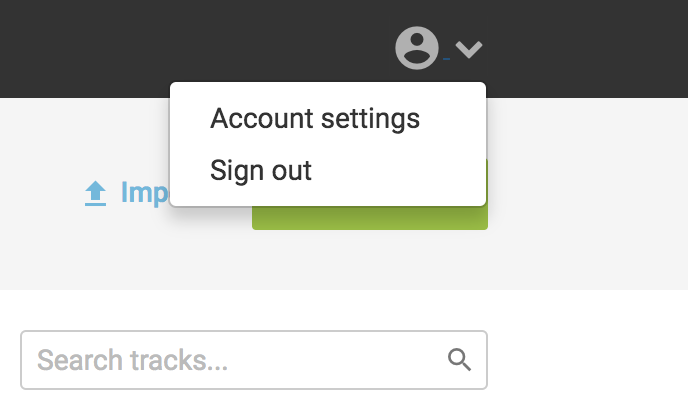
To change your password, head over to Account settings under the User icon in the top menu.
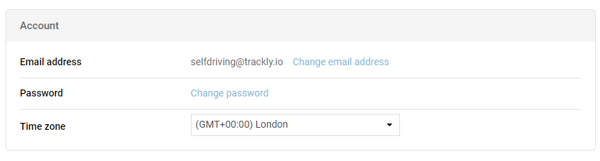
From there, click on the Change password link
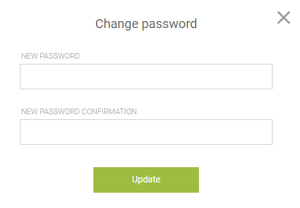
and enter your new password twice, then click on the Update button. Passwords have to have at least 6 characters.
You're done!